
Integrate Dexway language courses into your LMS with LTI or SCORM
Does your organisation use Moodle or another learning management system (LMS)? You can add Dexway language courses and give learners more opportunities to study and practise through the platform they already use.
Dexway offers several integration options, including LTI and SCORM. The choice depends on the courses you want to deliver, how learners will access them and what information teachers need to see.

Two ways to add Dexway to your learning platform
With LTI and SCORM, learners can access Dexway courses from their organisation’s platform. In the examples below, the main difference is how lessons and learning resources are presented.
With LTI: access to the Dexway learning environment
Learners open the course from their own platform and enter the Dexway learning environment, where they can find the lessons and resources available for their course.
Depending on the course, this environment may include progress information, course materials, additional activities and tools for taking part.
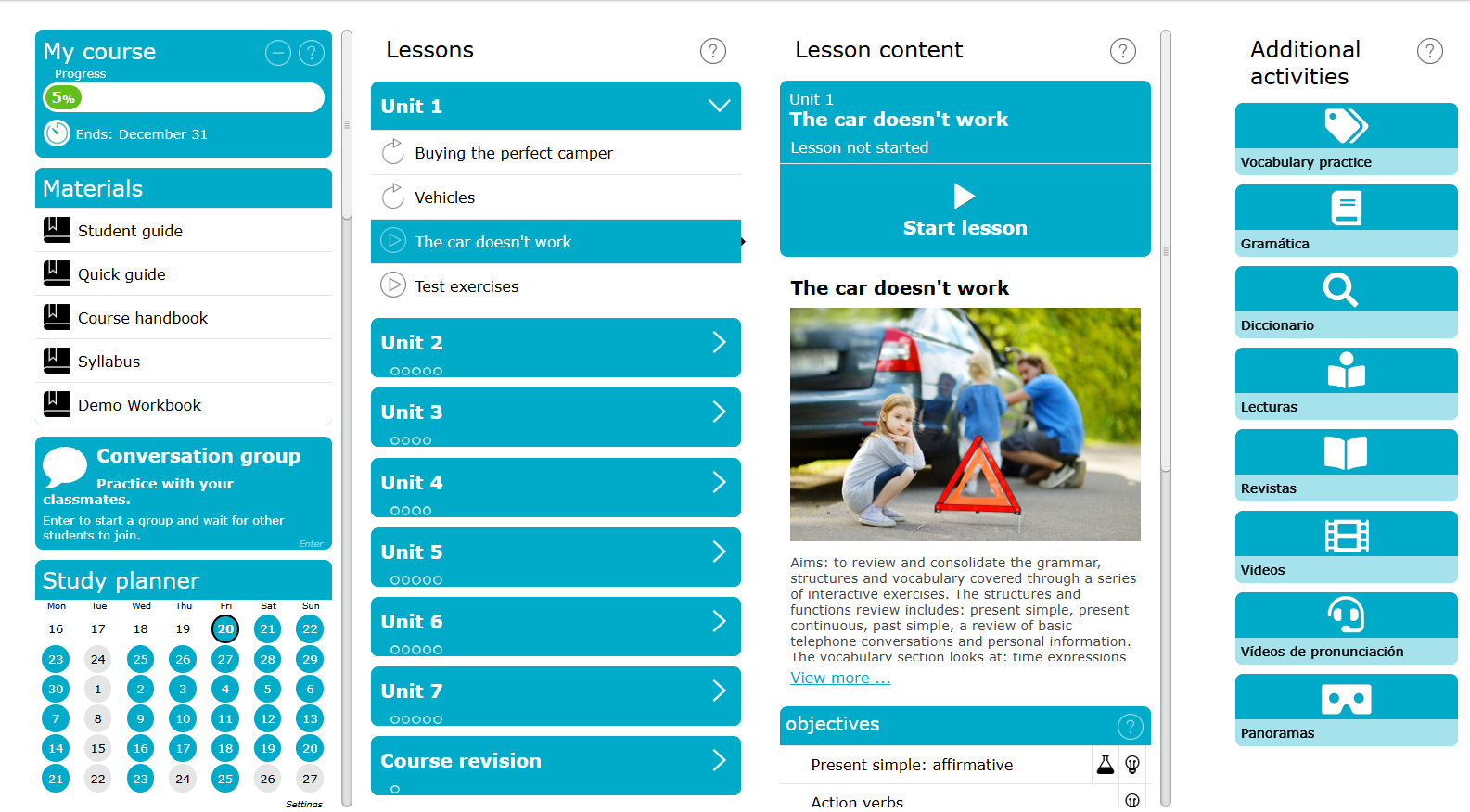
Example of the Dexway learning environment accessed via LTI, showing lessons, progress and course resources.
With SCORM: direct access to the lessons
With SCORM, the organisation adds the Dexway course to its platform as a learning package.
When learners open the activity, the lesson index appears. They can select a lesson and start practising from there.
This lets learners work through Dexway content on the platform their organisation already uses.
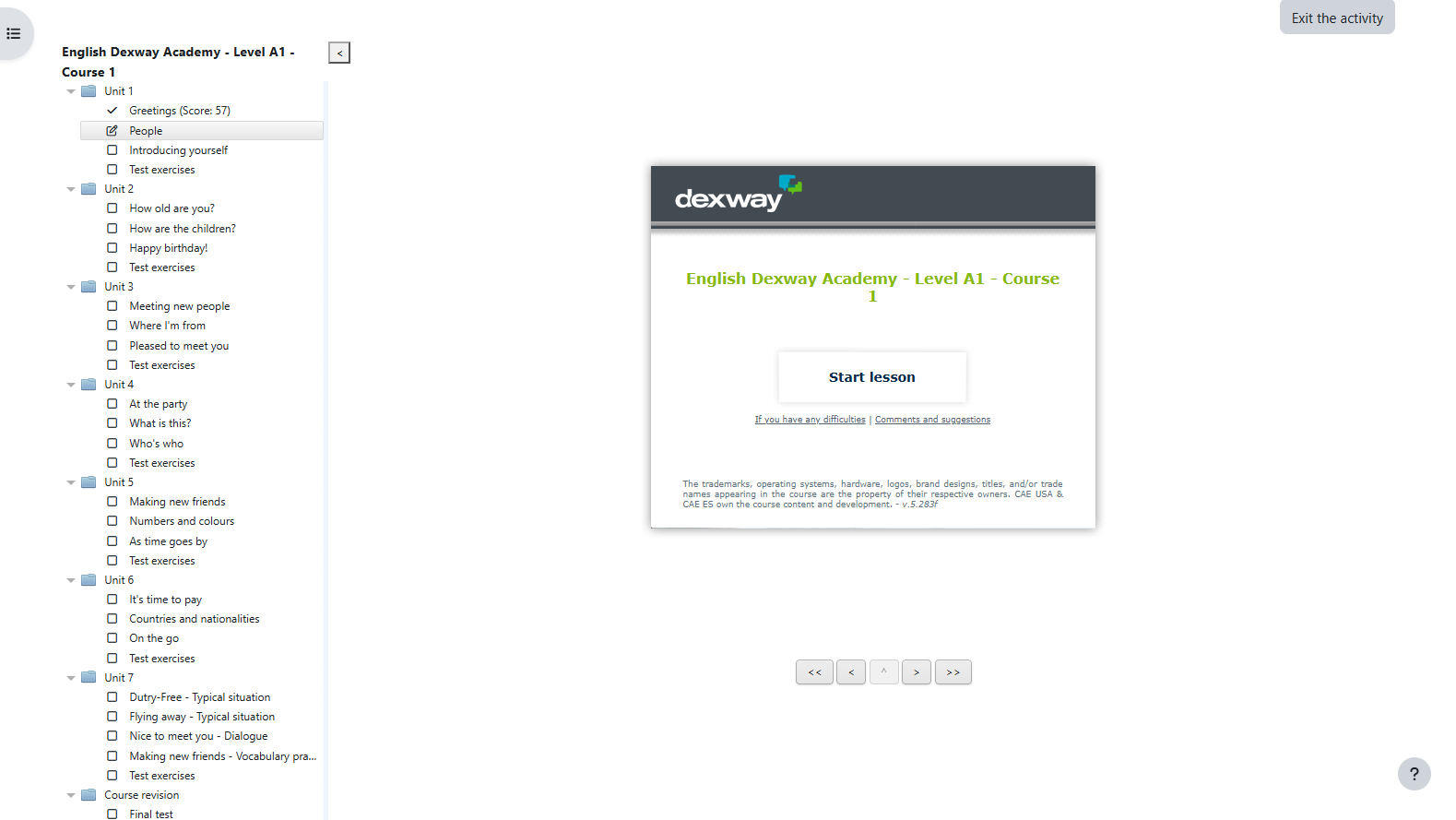
Example of accessing a Dexway course via SCORM in Moodle, with the lesson index visible and a lesson selected.
Which option suits your organisation?
The choice depends on how you want to present the courses to learners and what your organisation needs.
Tell us which platform you use, which courses interest you and what information you need to see about your learners. We’ll help you assess the most suitable integration.
How we help you prepare the integration
If you prefer SCORM, you can import the package into your platform and add it as an activity within the course.
In either case, we recommend an initial test to check that learners can access the course and that teachers can see the tracking information they need.
Tools for tracking and course management
Alongside learner access, Dexway offers tools that help training teams review progress and manage aspects of the course.
Depending on permissions and configuration, authorised users can access options such as content preview, learner tracking and the course control panel.
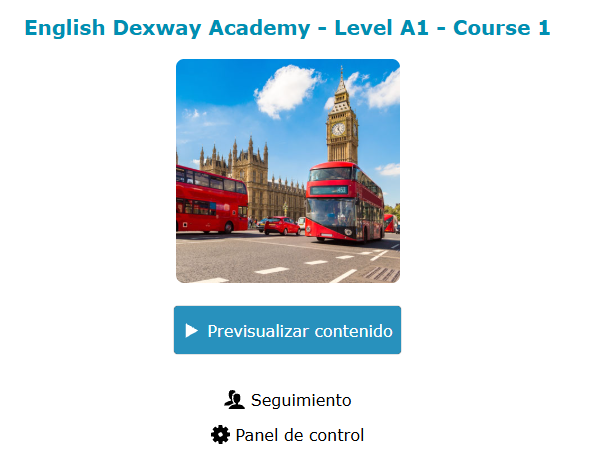
Example of the tracking and management tools for a Dexway course.
What Dexway courses can you add to your platform?
Choose according to learners’ age and level, the aim of your programme and the integration options available for each course.
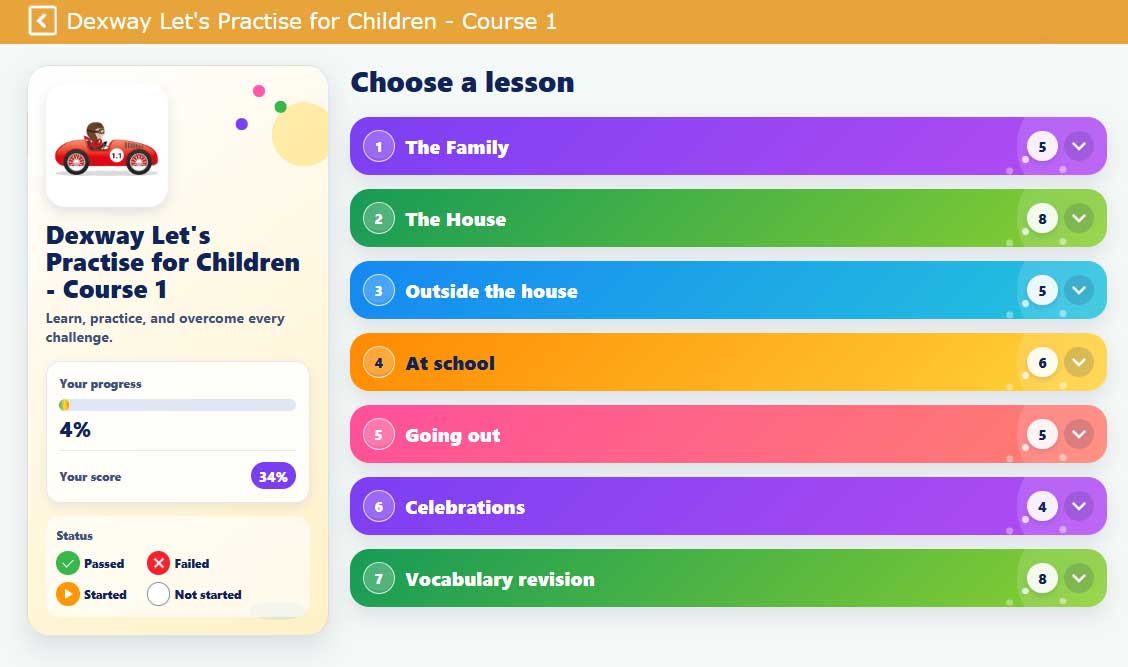
Lesson selection in Let’s Practise for Children.
English for the first levels
Dexway Let’s Practise
Supplement English classes with digital activities learners can also do outside the classroom.
Let’s Practise for Children and Let’s Practise for Beginners offer vocabulary and comprehension exercises for the first levels. In Children, for example, learners practise topics such as family, home and school.
English exam preparation
Dexway Authentic Exam Practice
Add targeted practice for Cambridge B1 Preliminary and B2 First or IELTS. Each course includes six practice tests to help learners become familiar with the task types in the corresponding exam.
In the Cambridge speaking simulations, learners interact with a virtual examiner and partner. For IELTS, they can practise an individual interview. AI feedback on writing tasks helps them see where they can improve.
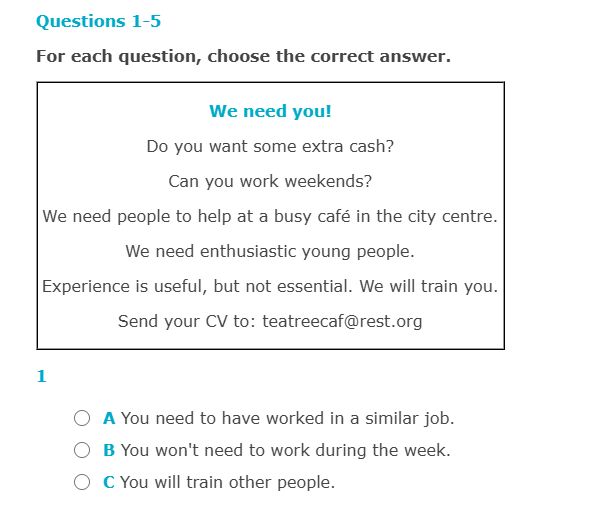
A B1 Preliminary (PET) reading comprehension exercise.
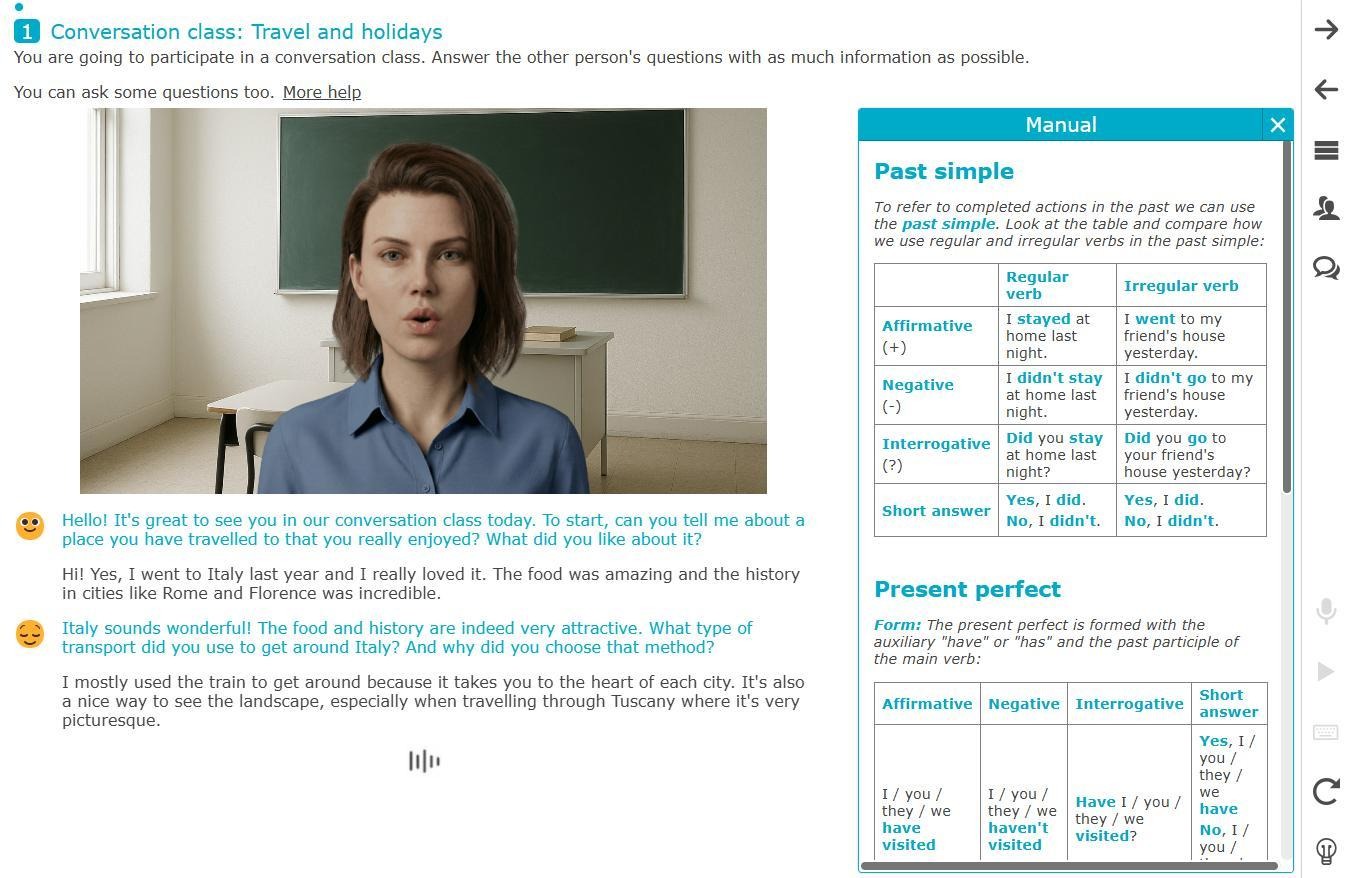
Example of an AI conversation class in Dexway Academy Gold.
Language programmes by level
Dexway Academy
Add a level-based language programme for universities, training providers and businesses. Lessons develop vocabulary, grammar, comprehension, speaking and writing.
Academy with an AI Tutor helps learners get answers during lessons. Academy Silver adds AI-assessed speaking and writing practice and conversation simulations. Academy Gold also offers one-to-one AI conversation classes.
AI-assisted practice and reinforcement
Dexway AI English Practice and Dexway AI Masterclass & Practice
Dexway AI English Practice gives learners more time to practise through AI conversations, simulations, and speaking and writing exercises.
Dexway AI Masterclass & Practice adds classes led by a virtual teacher. For example, a learner can follow an explanation of the simple past and then complete related activities.
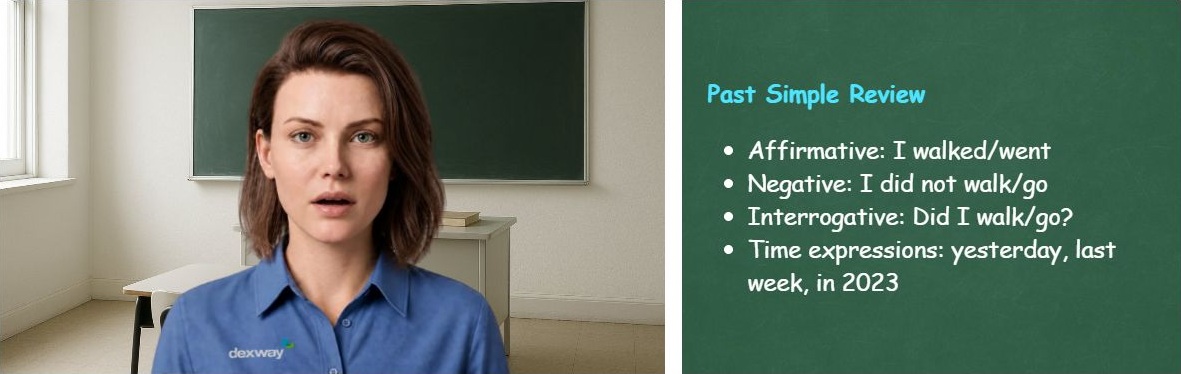
Example masterclass: a virtual teacher explains the simple past on a whiteboard.
If you also need a platform to deliver the courses, explore the Dexway LMS. Distributors and partners can see how to add Dexway to their training offer.
Grades and progress on your own platform
Both LTI and SCORM can share information about learners’ activity and results with compatible platforms.
For example, you may want to see grades, check which activities learners have completed or track their progress.
We’ll help you check which information you can view directly on your platform, based on the Dexway courses and integration you choose.
The aim is to give your teaching team the information they need to track learners’ progress.
Preparing your integration
Before rolling the courses out to all your groups, we recommend a simple test to check access and tracking.
1. Tell us which platform you use
Let us know if you use Moodle, Canvas or another platform, which courses interest you and what information you want to see. If you know the version, include it too.
2. Test access
Open the course as a learner and check which lessons and resources appear.
3. Check tracking
Complete a test activity and check which results teachers can see.
Frequently asked questions about LTI, SCORM and Dexway
Can I integrate Dexway if my organisation already uses Moodle?
Yes. Dexway offers Moodle integration options via LTI and SCORM. The configuration depends on your Moodle version, the course you choose and your tracking needs.
Can I use Dexway with Canvas?
Dexway provides LTI configuration instructions for Canvas. The team can review compatibility with the course and configuration your organisation needs.
What differences will learners see between LTI and SCORM?
The LTI example shows the Dexway learning environment. In the direct-access SCORM example, the lesson index is the starting point. What learners see depends on the course and its configuration.
Can I see my learners’ grades and progress on my platform?
LTI and SCORM can share different learning data with compatible platforms.
We’ll help you check which grades and progress data you can see in your setup, so you know what information will be available.
Who configures the integration?
The team that manages your organisation’s learning platform sets up access. For LTI, Dexway provides instructions for the tool and platform you’ll be using.
What if I don’t have a learning platform yet?
You can consider the Dexway LMS to deliver courses in a dedicated learning environment.
Further information for LMS administrators
LTI 1.3 lets compatible platforms connect to external learning tools. LTI Advantage includes services for selecting content, sending grades and sharing participant and role information.
Each service must be supported and enabled by the platforms involved. See 1EdTech’s LTI documentation or the Moodle guide to external tools.
Want to add language courses to your LMS?
Tell us which platform you use, which courses you want to deliver and what learning information you need to see.
We can review the available integration options and help you choose the one that suits your organisation.